Custom Domain Email Generator Guide
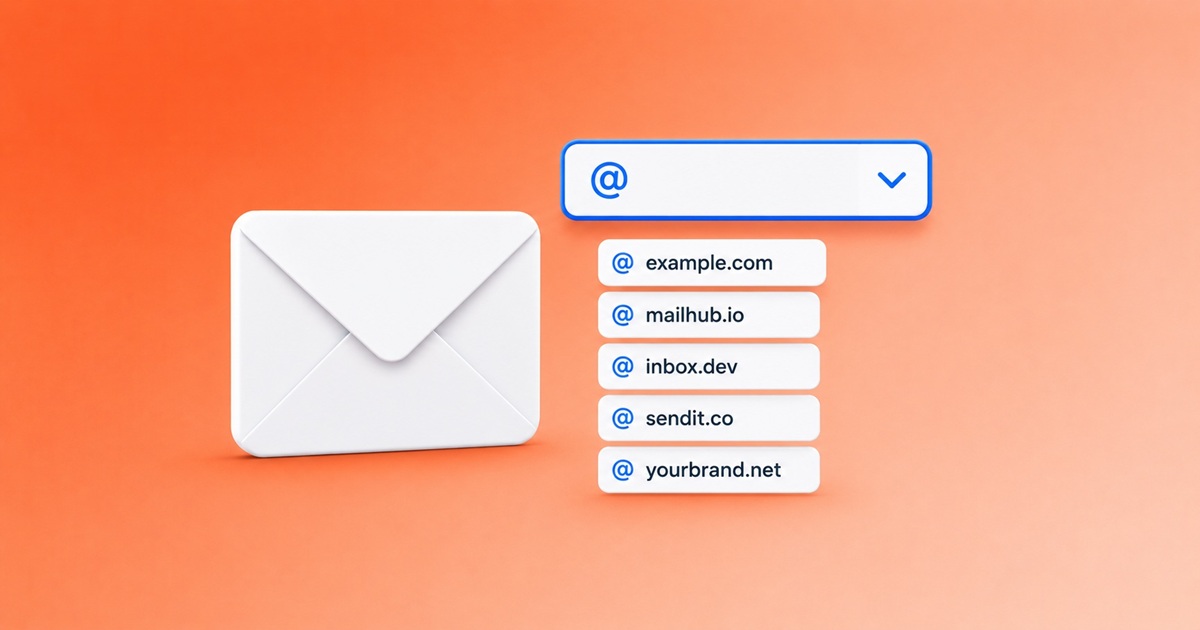
The domain of your generated address matters more than the username. A free email generator that gives you only one fixed domain is brittle — sooner or later that domain ends up on a blocklist. The trick is knowing how to pick the right domain in three seconds, and what to do when a sign-up rejects you.
Why the domain is half the address
When you submit a sign-up form, the form usually doesn't look at your username at all. It looks at the part after the @ — the domain — and checks it against:
- an email generator blocklist (public lists like
blocklist.de, custom lists maintained by big providers); - an MX record check — does the domain actually receive mail?
- sometimes a reputation score from anti-fraud vendors.
If the domain fails any of these, the form rejects you regardless of how realistic your username looks. That's why a good email generator offers many domains, not one.
Pick from the dropdown — that's the whole UX
Open the homepage. To the right of the email address there's a small green arrow — click it. A dropdown appears with all currently active domains. Pick any one — your address updates instantly, the inbox stays open.
By default we sort the dropdown by shorter domains first (e.g. example.com before sub.bar.example.com), because short domains look more like real addresses and pass anti-fraud heuristics more often. But you can scroll down for less common ones.
When a domain is blocked, switch domain
If a sign-up says "this email cannot be used":
- Don't change the username — that almost never helps.
- Open the domain dropdown.
- Pick a different domain — preferably one with a different "look" (different TLD, different brand).
- The new full address auto-updates. Re-submit the form.
At any given moment at least one of our active domains is missing from any single blocklist — that's the whole point of having more than one. We add new domains to the rotation specifically as the older ones get added to blocklists; see new domain for the current status.
Custom username on a custom domain
The username part — the bit before the @ — is entirely yours. Type anything that looks like a normal address: john.doe, info, contact, jane.smith. Realistic usernames pass anti-fraud heuristics better than random strings. They also look less suspicious to humans (a help-desk agent processing your request).
Note that anyone else can pick the same username on the same domain. If two people independently choose info@some-domain.com, they share the inbox. That's an inherent property of any generated address — don't pick obvious usernames on popular domains for sensitive sign-ups.
Subdomains — same protection, different look
Some of our domains support second-level subdomains (e.g. sub.bar.example.com instead of just bar.example.com). Turn on the "second-level domains" toggle in Settings to see them in the dropdown. Subdomains often slip past blocklists that only check the parent domain.
The trade-off: subdomain addresses look slightly more "made-up" to humans. Use them when blocking is the issue, not appearance.
Internationalised (IDN) domains
Some of our domains are Unicode (IDN — e.g. фея.email). These work for receiving mail, but the underlying transport is Punycode (xn--80a3a.email). Most modern sign-up forms accept either form. If a form rejects the Unicode version, switch to an ASCII domain from the dropdown.
When you might want to bring your own real domain
This service does not host arbitrary custom-domain mailboxes the way a paid provider would — but you can point a domain you own at us and receive on it, which is exactly what adding your own domain to the email generator walks through (a five-minute MX record). If instead you need to receive mail at you@yourdomain.com permanently with full mailbox features, that's a different product (catch-all hosting, anonymous-alias services, or your own mail server). For temporary use, our rotated free domains do the job better than a paid custom domain would.
For trade-offs between generated addresses and alias forwarding on your own domain, see email generator vs mail forwarding. If a verification code is the only thing you're waiting on, receiving verification codes with an email generator covers why switching domains fixes most delivery failures.
One more thing: bookmark the address, not the page
If you'll come back to the same inbox tomorrow, the URL in your browser bar contains the full domain/username path. Bookmark that URL. The Recent Mail panel also remembers it locally — see how to use an email generator.